AI Training & Adoption
AI Training for Teams: Why Adoption Fails and What Works
Most AI training creates curiosity but not lasting behaviour. Here is how hands-on, role-specific AI training helps business teams build practical workflows, use AI responsibly and turn everyday work into measurable improvements.
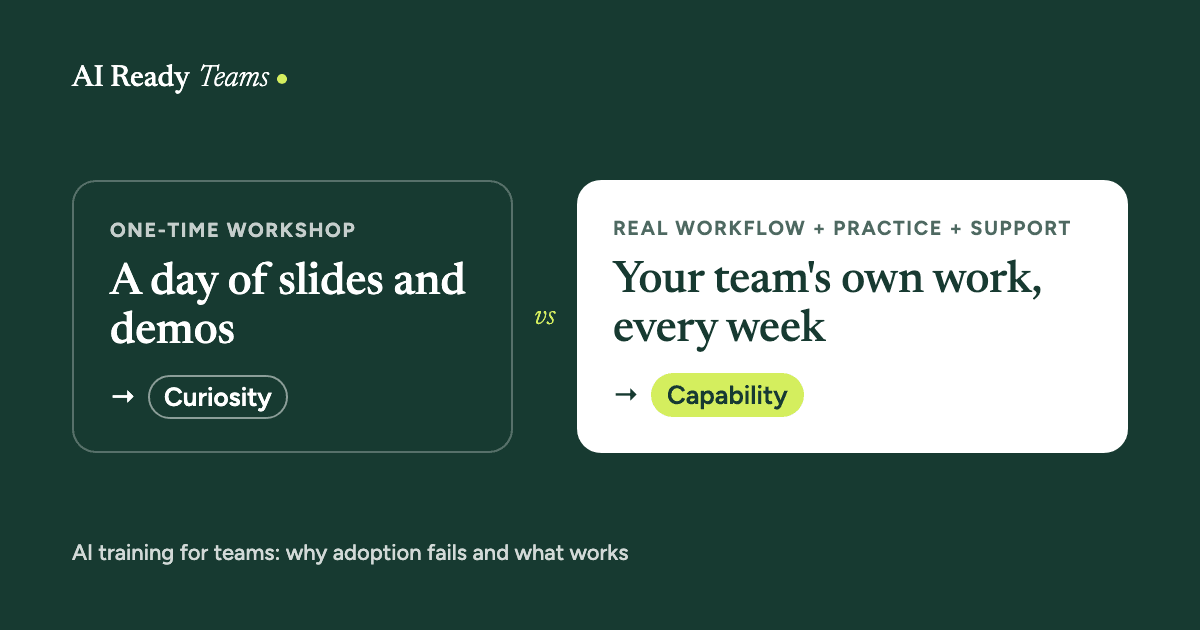
People attend a workshop, try a few prompts, and leave with a new sense of what AI can do. Then Monday arrives. The tools are still there, but everyone goes back to the same emails, meetings, spreadsheets and manual processes.
That is where many AI initiatives stall.
The problem is rarely the software. The gap sits between seeing what AI can do and knowing how to use it safely and consistently in real work.
A webinar can create interest. A list of prompts can create ideas. Neither guarantees that a team will change how it works.
Buying the tools was the easy part
Many organisations have already paid for AI access. The harder questions come afterwards:
- Which tasks should people use it for?
- What information is safe to enter?
- How should employees check the output?
- Who is responsible for approving the result?
- Where does the work go next?
- How do you help the whole team build the habit, and not only the most confident users?
Without clear answers, adoption becomes uneven.
One or two employees become excellent at using AI, while everyone else holds back. Some people are unsure what they are allowed to do. Others use personal accounts for work because the approved process is unclear.
The organisation has access to AI, but no reliable way to turn that access into value.
That is a readiness problem.
What an AI-ready team looks like
An AI-ready team doesn't need to know every new tool. It needs to be able to look at its own work and make sensible decisions about where AI belongs.
People know how to:
- Spot repetitive, slow or information-heavy tasks.
- Choose uses with a clear benefit.
- Work within simple rules for privacy and responsible use.
- Give AI enough context to produce useful work.
- Check the output before it reaches a customer or colleague.
- Turn a successful experiment into a process others can repeat.
- Share what works instead of keeping it with one person.
Nobody needs to become an AI expert. The aim is better work with less wasted effort, and enough confidence to keep using what people learn.
Start with the work
The best AI programmes don't begin with a tour of the latest features. They begin with the team's day-to-day work.
Ask:
- Where does the team lose time every week?
- Which tasks involve copying information from one place to another?
- Where do people keep starting from a blank page?
- Which requests arrive again and again?
- Where do delays or handover problems happen?
- Which processes depend on one experienced employee knowing what to do?
- What important work gets pushed aside because it is tedious?
These questions usually reveal better opportunities than a generic list of AI features.
A sales team may need help with follow-up and CRM updates. A support team may need faster access to approved answers. A marketing team may need a better way to turn one idea into a complete campaign. A leadership team may need meetings to produce clearer decisions and owners.
Start with the work. The software comes second.
What a better workflow looks like
AI becomes valuable when it improves a process that happens again and again.
- Current task
- Find the friction
- Design the AI-supported workflow
- Human review and approval
- Measure the result
- Improve and repeat
Here are four examples.
Sales: from call notes to next steps
Before
A salesperson finishes a call, sorts through notes, remembers what mattered to the customer, writes a follow-up email and updates the CRM. The process takes time, and important details can be missed.
After
- An approved call transcript or set of notes enters the workflow.
- AI identifies the customer's goals, concerns, questions and commitments.
- It drafts a follow-up email in the company's tone.
- It creates a short CRM summary and suggests the next action.
- The salesperson checks the details, edits the message and approves the update.
AI handles the first pass and the admin. The salesperson still owns the relationship, the judgement and the final message.
The real gain goes beyond one email: the team now has a faster, more reliable path from conversation to follow-up.
Customer service: from searching to resolving
Before
A support employee receives a question, searches through documents and old messages, asks someone for help and writes a reply. Two employees may answer the same question differently.
After
- AI categorises the request and flags urgent cases.
- It searches the approved knowledge base.
- It drafts a response using the relevant company information.
- The employee checks the answer and makes the final decision.
- Sensitive or unusual cases go to a human specialist.
- Repeated questions are recorded as possible gaps in the documentation.
The employee stays accountable for the response. AI cuts the time spent finding information and writing the first draft.
Over time, recurring questions also show the company where its documentation needs work.
Marketing: from one idea to a campaign
Before
A team develops a campaign idea, writes one piece of content, and starts again from scratch for every channel. Production slows down, and the message can drift.
After
- The team agrees on the audience, offer, objective and central message.
- AI helps turn that into a campaign brief.
- The approved brief becomes the source for the rest of the work.
- AI creates first drafts for an article, email, social posts, video scripts and FAQs.
- A team member checks the facts, tone, positioning and brand fit.
- The final pieces are adapted for each channel.
- Campaign results inform the next brief.
Nobody should publish whatever AI produces. The point is to stop recreating the same thinking from scratch.
One clear idea can support a whole content system, while people stay responsible for the strategy and the final quality.
Leadership: from meetings to follow-through
Before
A meeting ends with a general sense of what needs to happen. Notes are incomplete, owners are unclear, and someone has to piece the decisions together later.
After
- Approved meeting notes or a transcript are captured.
- AI separates decisions, open questions, actions, owners and deadlines.
- The meeting leader reviews the summary.
- Approved actions go into the team's project system.
- Participants receive a short follow-up.
- Unfinished actions are reviewed at the next meeting.
A polished summary is nice to have. The real value is the link between the discussion and the work that follows.
Three things effective training includes
It fits the role
Generic examples are easy to forget because they don't feel connected to the job.
A marketing team, finance team, sales team and customer service team should not all get the same exercises. The examples should use the team's language, tasks, systems and decisions.
When people can see themselves in the training, they have less work to do before they can use it.
It follows the workflow
A prompt is only one part of a process. A useful workflow answers six questions:
- What starts the task?
- What information does AI receive?
- What instructions or standards guide the result?
- What does a person need to check?
- What happens after approval?
- Where is the final work saved, sent or recorded?
"Use AI to write customer emails" is not much of a process. A clearer version might be:
- Add the customer's message to an approved template.
- Ask AI to identify the issue and any missing information.
- Draft a response in the company's tone.
- Check the facts and remove anything unsupported.
- Personalise the response and send it.
- Record recurring issues for future process updates.
That process can be taught, tested, improved and handed to a new employee.
It creates something useful straight away
A training session should end with work completed, and a collection of ideas is not enough.
Depending on the team, that might be:
- A finished report.
- A reusable prompt.
- A documented workflow.
- A cleaned-up knowledge article.
- A meeting action plan.
- A first draft of a real campaign.
- A tested approval process.
The first successful use matters. It gives the team evidence that the new approach works in its own environment.
A practical training day
The strongest training is built around real work, not slides.
Before the session, each person brings three tasks they do regularly. During the session, the team learns what AI does well, where it gets things wrong, and what information should not go into the tool.
Then they practise on their own work:
- Writing and communication.
- Meeting notes and follow-up.
- Long documents and PDFs.
- Analysis and summaries.
- Team knowledge and shared information.
- Tasks specific to each role.
By the end of the day, each person has working examples for their role. The team also has a shared playbook, clear rules for using AI, and a short list of what to try over the next 30 days.
The session should not be the finish line. A follow-up check-in gives the team a chance to talk about what they actually used, where they got stuck and what needs adjusting.
Measure the change
Adding AI to a process does not automatically improve it. Decide in advance what a better result looks like:
- Less time spent on a recurring task.
- Faster customer response times.
- Fewer missed follow-ups.
- More complete CRM records.
- Fewer avoidable errors.
- More consistent communication.
- Faster content production.
- Fewer interruptions for experienced employees.
- Higher completion rates for important work.
The measurement doesn't need to be complicated. Start with a baseline, test the new workflow, and compare the result after a few weeks.
For example, if a team spends 25 minutes preparing each customer follow-up, the useful question is whether the new process cuts that time without lowering the quality of the message.
That is the difference between using AI and improving work with AI.
Start smaller than you think
Many organisations try to introduce AI everywhere at once. That creates confusion, inconsistent habits and too many unfinished experiments.
A better starting point is:
- One team.
- One recurring workflow.
- One clear problem.
- One person responsible for testing it.
- One measure of improvement.
Choose a task the team understands well and does often. Avoid starting with the most sensitive or complicated process. A modest improvement that people use every week is worth more than an impressive demonstration that nobody repeats.
Once the workflow works, document it, improve it, and look for the next place the same approach might help.
How AI Ready Teams helps
AI Ready Teams helps organisations move from AI access to everyday use.
The work begins by understanding your goals, people, information and current level of readiness. From there, the focus is practical: set clear expectations, train people on their real tasks, build workflows they can use, and share the best ones across the team.
The core training is a hands-on day for up to 10 people. Each person brings real work and builds three workflows for their role. The team leaves with:
- Working workflows connected to their jobs.
- A shared playbook with prompts and examples.
- Clear rules for what goes into AI tools.
- A plan for the next 30 days.
- A follow-up check-in to see what actually stuck.
For leaders who want a smaller first step, there is a Leadership AI Half-Day and a Readiness Audit. Larger groups can use an AI Build Day to work on business problems together and leave with a ranked list of ideas to build next.
The approach is simple: people before prompts, and real work before impressive demos.
If training hasn't changed daily work
If your team has attended AI training but daily work hasn't changed, the answer may not be another general workshop.
Start with the work your people already do. Find one process that is slow, repetitive or hard to manage. Build an AI-supported version around the team's real tools and limits. Let people use it on real tasks, review the results, and improve the process together.
That is how curiosity becomes confidence, and confidence becomes part of the way a team works.
Build a team that is ready.
Your team already has access to AI. The next step is helping them use it well.
Start with one team, one workflow and one measurable improvement.